Pimberly
  • Product Tour
    • Video Tour
      • 1 Minute Demo
      • 6 Minute Demo
      • 25 Minute Demo
    • Platform Features
      • Product Information Management Platform
      • Digital Asset Management
      • Catalog
      • Automated Product Spec & Sell Sheets
      • Auto Sizing Charts
      • Pimberly AI
      • Customer Portal
      • Vendor Portal
      • Workflows
      • eCatalog – Product Previewer
    • AI Capabilities
      • Pimbles
      • ColorAI
      • ImageAI
      • CopyAI
    • Integrations
  • Solutions
    • PIM by Industry
      • Manufacturers
      • Distributors
      • Retailers
    • PIM by Sector
      • Fashion & Apparel
      • Multi-Brand Retailers
      • Food & Beverage
      • Homewares
      • Construction
        • Builders’ Merchants
        • Building Materials Manufacturers
        • Bathroom Businesses
      • Uniform Distributors
      • Electrical/Mechanical
      • Brands
      • HVAC
      • IT Distributors
    • PIM by Job Role
      • Senior Management
      • Product Managers
      • eCommerce
      • IT
      • Marketing & Sales
    • Business Benefits
  • What is PIM?
    • What is DAM?
  • Case Studies
  • Pricing
  • Resources
    • Resource Center
      • Whitepapers
      • Blog
      • Press
      • News
      • Videos
      • Glossary
    • Events & Webinars
    • Content Hubs
      • I’m researching PIM
      • I’m researching Pimberly
      • I’m researching eCommerce
  • About
    • Careers
    • Partners
      • Our Partners
      • Become a Partner
    • Corporate
      • ESG
    • The Pimberly Story
    • Contact Pimberly
  • Book a Demo
  • Menu

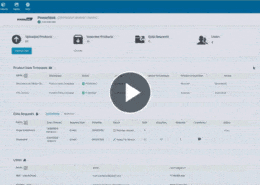
Feeds and Imports – Mapping and Transformation

Watch Now

Most product teams spend their first weeks with a new supplier cleaning up what was sent. Here a feed is configured once: every source field mapped to the attribute, scope and locale it belongs in, with expressions performing lookups, cleaning inconsistent fields and normalising values as the data arrives. The record is correct on arrival rather than corrected later, and a copy of every source file is retained for traceability.

With Pimberly’s feeds, you can:

  • Configure a feed once, mapping every source field to the Pimberly attribute, scope and locale it belongs in
  • Apply expressions to incoming data — performing lookups, cleaning inconsistent fields and normalising values as they arrive
  • Get records right on arrival rather than correcting them later, cutting the manual cleanup downstream
  • Keep a copy of every source file processed, giving traceability back to exactly what was sent
  • Draw from external data pools and content providers too, creating or enriching records under the same matching, mapping, validation and governance rules

See how it works in the video below:

More like this…

Configuring Product Types

Feeds and Imports - Mapping and Transformation

Deep Multi-Tier Product Structures

Taxonomy - Surfacing Attributes by Level

See more videos

WHY PIM?

  • For your business
    • What is a PIM?
    • What is DAM? Guide to Digital Asset Management
    • Business Benefits of PIM
  • For your industry
    • Distributors
    • Manufacturers
    • Retailers
DMCA.com Protection Status

PRODUCT TOUR

  • Product Information Management Platform
  • Digital Asset Management
  • Workflows
  • Pricing
  • Implementation
  • Integrations
    • Technology
    • API Documentation

RESOURCES

  • Resource Center
  • Blog
  • Whitepapers & Guides
  • Events & Webinars
  • Glossary
  • Videos
  • News
  • FAQ

GET IN TOUCH

  • Contact Us
  • Book A Demo
  • Our Partners
  • Become a Partner
  • Sitemap
  • Terms and Conditions
  • Privacy Policy
  • Twitter
  • LinkedIn
Deep Multi-Tier Product Structures Configuring Product Types Scroll to top