Pimberly
  • Product Tour
    • Video Tour
      • 1 Minute Demo
      • 6 Minute Demo
      • 25 Minute Demo
    • Platform Features
      • Product Information Management Platform
      • Digital Asset Management
      • Catalog
      • Automated Product Spec & Sell Sheets
      • Auto Sizing Charts
      • Pimberly AI
      • Customer Portal
      • Vendor Portal
      • Workflows
      • eCatalog – Product Previewer
    • AI Capabilities
      • Pimbles
      • ColorAI
      • ImageAI
      • CopyAI
    • Integrations
  • Solutions
    • PIM by Industry
      • Manufacturers
      • Distributors
      • Retailers
    • PIM by Sector
      • Fashion & Apparel
      • Multi-Brand Retailers
      • Food & Beverage
      • Homewares
      • Construction
        • Builders’ Merchants
        • Building Materials Manufacturers
        • Bathroom Businesses
      • Uniform Distributors
      • Electrical/Mechanical
      • Brands
      • HVAC
      • IT Distributors
    • PIM by Job Role
      • Senior Management
      • Product Managers
      • eCommerce
      • IT
      • Marketing & Sales
    • Business Benefits
  • What is PIM?
    • What is DAM?
  • Case Studies
  • Pricing
  • Resources
    • Resource Center
      • Whitepapers
      • Blog
      • Press
      • News
      • Videos
      • Glossary
    • Events & Webinars
    • Content Hubs
      • I’m researching PIM
      • I’m researching Pimberly
      • I’m researching eCommerce
  • About
    • Careers
    • Partners
      • Our Partners
      • Become a Partner
    • Corporate
      • ESG
    • The Pimberly Story
    • Contact Pimberly
  • Book a Demo
  • Menu

Configuring Product Types

Watch Now

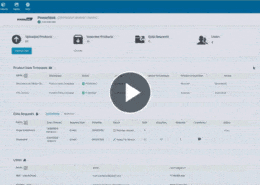
A hard-coded product model forces a business to describe its range the way the software expects. Pimberly’s product types are configured through the interface, covering physical products and their variants but equally services, digital goods, bundles and any other structure the business uses. New types are added through the interface, with the group behaviour and variants defined, which is what allows structures of any depth to be built. With the right permissions, a business user can adjust the data model this way, including creating additional attributes, without development support.

With Pimberly’s product types, you can:

  • Configure product types through the interface rather than relying on a hard-coded model
  • Model physical products and variants, as well as services, digital goods, bundles and any other structure the business uses
  • Add new product types through the interface, with group behaviour and variants defined to build structures of any depth
  • Adjust the data model this way with the right permissions, including creating additional attributes, without development support

See how it works in the video below:

More like this…

Configuring Product Types

Feeds and Imports - Mapping and Transformation

Deep Multi-Tier Product Structures

Taxonomy - Surfacing Attributes by Level

See more videos

WHY PIM?

  • For your business
    • What is a PIM?
    • What is DAM? Guide to Digital Asset Management
    • Business Benefits of PIM
  • For your industry
    • Distributors
    • Manufacturers
    • Retailers
DMCA.com Protection Status

PRODUCT TOUR

  • Product Information Management Platform
  • Digital Asset Management
  • Workflows
  • Pricing
  • Implementation
  • Integrations
    • Technology
    • API Documentation

RESOURCES

  • Resource Center
  • Blog
  • Whitepapers & Guides
  • Events & Webinars
  • Glossary
  • Videos
  • News
  • FAQ

GET IN TOUCH

  • Contact Us
  • Book A Demo
  • Our Partners
  • Become a Partner
  • Sitemap
  • Terms and Conditions
  • Privacy Policy
  • Twitter
  • LinkedIn
Feeds and Imports – Mapping and Transformation What is agentic pim? What is Agentic PIM? And Why It’s Not Agentic Commerce Scroll to top