Pimberly
  • Product Tour
    • Video Tour
      • 1 Minute Demo
      • 6 Minute Demo
      • 25 Minute Demo
    • Platform Features
      • Product Information Management Platform
      • Digital Asset Management
      • Catalog
      • Automated Product Spec & Sell Sheets
      • Auto Sizing Charts
      • Pimberly AI
      • Customer Portal
      • Vendor Portal
      • Workflows
      • eCatalog – Product Previewer
    • AI Capabilities
      • Pimbles
      • ColorAI
      • ImageAI
      • CopyAI
    • Integrations
  • Solutions
    • PIM by Industry
      • Manufacturers
      • Distributors
      • Retailers
    • PIM by Sector
      • Fashion & Apparel
      • Multi-Brand Retailers
      • Food & Beverage
      • Homewares
      • Construction
        • Builders’ Merchants
        • Building Materials Manufacturers
        • Bathroom Businesses
      • Uniform Distributors
      • Electrical/Mechanical
      • Brands
      • HVAC
      • IT Distributors
    • PIM by Job Role
      • Senior Management
      • Product Managers
      • eCommerce
      • IT
      • Marketing & Sales
    • Business Benefits
  • What is PIM?
    • What is DAM?
  • Case Studies
  • Pricing
  • Resources
    • Resource Center
      • Whitepapers
      • Blog
      • Press
      • News
      • Pimberly PIM Platform Tour
      • Glossary
    • Events & Webinars
    • Content Hubs
      • I’m researching PIM
      • I’m researching Pimberly
      • I’m researching eCommerce
  • About
    • Careers
    • Partners
      • Our Partners
      • Become a Partner
    • Corporate
      • ESG
    • The Pimberly Story
    • Contact Pimberly
  • Book a Demo
  • Menu

Validation and Assignment Rules

Watch Now

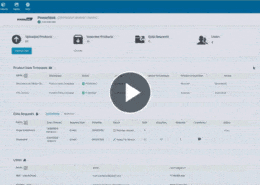
Correcting the same mistakes after the fact is the work most product teams want back. In Pimberly, validation rules reject a change, allow it with a warning, or send it for approval, with conditions and expressions including data set lookups for normalising values against an agreed list. Assignment rules sit alongside, setting one attribute from the values of others rather than blocking the change.

With Pimberly’s validation and assignment rules, you can:

  • Reject a change outright, allow it with a warning, or send it for approval — the action a rule starts with
  • Add conditions using comparators matched to the attribute type, or build in an expression
  • Normalise incoming values against an agreed list with a dataset lookup, rather than accepting whatever was typed
  • Set one attribute from the values of others with an assignment rule, using as many if-then clauses as the logic needs
  • Calculate a value with an expression, where the assignment depends on more than a straight lookup

See how it works in the video below:

More like this…

SupplierData thumb.gif

Importing and Validating Product Data with Vendor Portal

Configuring Product Types

Feeds and Imports - Mapping and Transformation

Deep Multi-Tier Product Structures

See more videos

WHY PIM?

  • For your business
    • What is a PIM?
    • What is DAM? Guide to Digital Asset Management
    • Business Benefits of PIM
  • For your industry
    • Distributors
    • Manufacturers
    • Retailers
DMCA.com Protection Status

PRODUCT TOUR

  • Product Information Management Platform
  • Digital Asset Management
  • Workflows
  • Pricing
  • Implementation
  • Integrations
    • Technology
    • API Documentation

RESOURCES

  • Resource Center
  • Blog
  • Whitepapers & Guides
  • Events & Webinars
  • Glossary
  • Pimberly PIM Platform Tour
  • News
  • FAQ

GET IN TOUCH

  • Contact Us
  • Book A Demo
  • Our Partners
  • Become a Partner
  • Sitemap
  • Terms and Conditions
  • Privacy Policy
  • Twitter
  • LinkedIn
What We Heard at ShopTalk Fall 2026 What We Heard at Shoptalk Fall 2026: How Retail Teams Are Approaching Product Data, AI Workflows, and Agentic Commerce Role-Based Access Control
Scroll to top