How to Use Pimberly E Catalog
Sharing product information with customers, suppliers and internal teams can be time-consuming. Pimberly’s E Catalog makes it easy to generate and share a non-transactional online catalog of your products, giving anyone who needs it easy access to product information through a link.
With Pimberly’s E Catalog, you can:
- Instantly generate an online catalog of your products
- Share your catalog via a link, with the option to password protect it
- Browse products through different categories
- View product information, images and product data sheets
- View different product variations and variations in product data
- Access specifications, descriptions, brand and supplier information
- Share your product catalog with downstream customers and suppliers
- Use the catalog as an internal sales enablement tool
- View compatible and related product
How Pimberly makes product information accessible
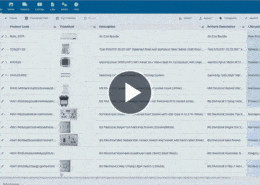
Pimberly’s E Catalog makes product information easily accessible to customers, suppliers and internal teams. Products from your Pimberly instance can be displayed in an online catalog, allowing users to browse different categories and access product information.
Users can view product assets such as images and product data sheets, as well as product variations and information including specifications, descriptions, brand and supplier details. E Catalog can also be used as an internal sales enablement tool, allowing salespeople to view compatible and related products when talking to customers.
Learn more about Pimberly E Catalog → Sharing product information with E Catalog
Next Steps
Like what you see? Book a free personalised demo to find out what Pimberly can help you achieve.
Head to the video library to find more videos showing the features and benefits of Pimberly.
More like this…