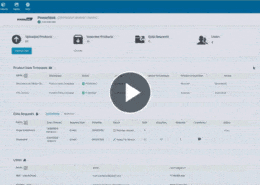
How to Onboard Supplier Products with Pimberly Vendor Portal
Managing supplier-submitted products can be time-consuming. Pimberly’s Vendor Portal gives users greater control over the product onboarding process, making it easier to review supplier submissions and decide which products are ready to be onboarded into Pimberly.
With Pimberly’s Vendor Portal, you can:
- View all products submitted by suppliers
- Choose the product and supplier information you want to review
- Filter and search product information to find what you need
- Select products in bulk for onboarding
- Accept products and onboard them into Pimberly
- Move accepted products into the enrichment stage of the product lifecycle
- Reject products and add comments explaining the reason
- Notify suppliers when products are rejected, helping them understand what needs to be corrected for their next import
How Pimberly streamlines product onboarding
Pimberly’s Vendor Portal gives users control over how supplier-submitted products are reviewed and onboarded. Users can view the products uploaded by suppliers, customise the information displayed and filter the data to focus on what matters to them.
Once products have been reviewed, suitable products can be selected in bulk and accepted for onboarding into Pimberly. From there, they can move into the enrichment stage as part of the full product lifecycle.
Products that aren’t suitable can be rejected with comments explaining the reason for the decision. These comments are sent to the supplier as a notification, helping them understand what needs to be corrected for their next import.
Learn more about Pimberly Vendor Portal → Onboarding supplier-submitted products in the Vendor Portal
Next Steps
Like what you see? Book a free personalised demo to find out what Pimberly can help you achieve.
Head to the video library to find more videos showing the features and benefits of Pimberly.
More like this…