Pimberly
  • Product Tour
    • Video Tour
      • 1 Minute Demo
      • 6 Minute Demo
      • 25 Minute Demo
    • Platform Features
      • Product Information Management Platform
      • Digital Asset Management
      • Catalog
      • Automated Product Spec & Sell Sheets
      • Auto Sizing Charts
      • Pimberly AI
      • Customer Portal
      • Vendor Portal
      • Workflows
      • eCatalog – Product Previewer
    • AI Capabilities
      • Pimbles
      • ColorAI
      • ImageAI
      • CopyAI
    • Integrations
  • Solutions
    • PIM by Industry
      • Manufacturers
      • Distributors
      • Retailers
    • PIM by Sector
      • Fashion & Apparel
      • Multi-Brand Retailers
      • Food & Beverage
      • Homewares
      • Construction
        • Builders’ Merchants
        • Building Materials Manufacturers
        • Bathroom Businesses
      • Uniform Distributors
      • Electrical/Mechanical
      • Brands
      • HVAC
      • IT Distributors
    • PIM by Job Role
      • Senior Management
      • Product Managers
      • eCommerce
      • IT
      • Marketing & Sales
    • Business Benefits
  • What is PIM?
    • What is DAM?
  • Case Studies
  • Pricing
  • Resources
    • Resource Center
      • Whitepapers
      • Blog
      • Press
      • News
      • Videos
      • Glossary
    • Events & Webinars
    • Content Hubs
      • I’m researching PIM
      • I’m researching Pimberly
      • I’m researching eCommerce
  • About
    • Careers
    • Partners
      • Our Partners
      • Become a Partner
    • Corporate
      • ESG
    • The Pimberly Story
    • Contact Pimberly
  • Book a Demo
  • Menu

Search and Bulk Code Lookup

Watch Now

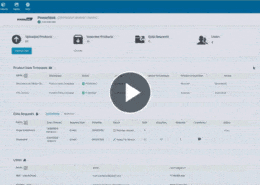
Someone arriving with a list of product codes from another system should not have to look them up one at a time. This demonstration combines keyword search with filters across attributes, status, quality and taxonomy, then uses a bulk lookup that takes a list of codes and returns those records together.

With Pimberly’s search, you can:

  • Search records by keyword, with a brand name search returning that brand’s products directly
  • Combine keyword search with filters across attributes, status, quality, taxonomy, schema and other criteria
  • Use a bulk lookup to paste a list of product codes and return those matching records together
  • Bring together exactly the products you need when arriving with a list from another system, without looking each one up individually

See how it works in the video below:

More like this…

Configuring Product Types

Feeds and Imports - Mapping and Transformation

Deep Multi-Tier Product Structures

Taxonomy - Surfacing Attributes by Level

See more videos

WHY PIM?

  • For your business
    • What is a PIM?
    • What is DAM? Guide to Digital Asset Management
    • Business Benefits of PIM
  • For your industry
    • Distributors
    • Manufacturers
    • Retailers
DMCA.com Protection Status

PRODUCT TOUR

  • Product Information Management Platform
  • Digital Asset Management
  • Workflows
  • Pricing
  • Implementation
  • Integrations
    • Technology
    • API Documentation

RESOURCES

  • Resource Center
  • Blog
  • Whitepapers & Guides
  • Events & Webinars
  • Glossary
  • Videos
  • News
  • FAQ

GET IN TOUCH

  • Contact Us
  • Book A Demo
  • Our Partners
  • Become a Partner
  • Sitemap
  • Terms and Conditions
  • Privacy Policy
  • Twitter
  • LinkedIn
Filters and Saved Views Taxonomy – Surfacing Attributes by Level Scroll to top