Pimberly
  • Product Tour
    • Video Tour
      • 1 Minute Demo
      • 6 Minute Demo
      • 25 Minute Demo
    • Platform Features
      • Product Information Management Platform
      • Digital Asset Management
      • Catalog
      • Automated Product Spec & Sell Sheets
      • Auto Sizing Charts
      • Pimberly AI
      • Customer Portal
      • Vendor Portal
      • Workflows
      • eCatalog – Product Previewer
    • AI Capabilities
      • Pimbles
      • ColorAI
      • ImageAI
      • CopyAI
    • Integrations
  • Solutions
    • PIM by Industry
      • Manufacturers
      • Distributors
      • Retailers
    • PIM by Sector
      • Fashion & Apparel
      • Multi-Brand Retailers
      • Food & Beverage
      • Homewares
      • Construction
        • Builders’ Merchants
        • Building Materials Manufacturers
        • Bathroom Businesses
      • Uniform Distributors
      • Electrical/Mechanical
      • Brands
      • HVAC
      • IT Distributors
    • PIM by Job Role
      • Senior Management
      • Product Managers
      • eCommerce
      • IT
      • Marketing & Sales
    • Business Benefits
  • What is PIM?
    • What is DAM?
  • Case Studies
  • Pricing
  • Resources
    • Resource Center
      • Whitepapers
      • Blog
      • Press
      • News
      • Videos
      • Glossary
    • Events & Webinars
    • Content Hubs
      • I’m researching PIM
      • I’m researching Pimberly
      • I’m researching eCommerce
  • About
    • Careers
    • Partners
      • Our Partners
      • Become a Partner
    • Corporate
      • ESG
    • The Pimberly Story
    • Contact Pimberly
  • Book a Demo
  • Menu

Building a Rule and Firing an Approval

Watch Now

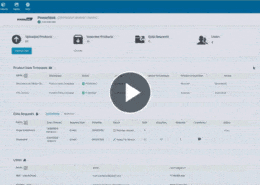
Commercially sensitive changes tend to be caught by someone noticing, or not caught at all. In Pimberly, a workflow is built in the drag and drop builder, triggered when a calculated margin falls below a minimum held in a data set, then tested live: reducing margin below the threshold raises a warning and routes the change for approval. The approver sees the rule breached, the current value and the proposed one, and every decision is recorded against the product.

With Pimberly’s workflow builder, you can:

  • Build a workflow in the drag-and-drop builder, so the team that owns the process can maintain it without developer support
  • Trigger a workflow from a schema condition — such as a calculated margin falling below a minimum
  • Hold the minimum in a data set rather than on individual products, so one change applies globally
  • Warn on save when a live product breaches the rule, with the option to correct the value or submit it for approval
  • Show the approver the rule that was breached, the current value and the proposed one, so they can approve or reject with full context
  • Record every decision against the product, so sensitive changes are checked automatically rather than relying on someone noticing

See how it works in the video below:

More like this…

Configuring Product Types

Feeds and Imports - Mapping and Transformation

Deep Multi-Tier Product Structures

Taxonomy - Surfacing Attributes by Level

See more videos

WHY PIM?

  • For your business
    • What is a PIM?
    • What is DAM? Guide to Digital Asset Management
    • Business Benefits of PIM
  • For your industry
    • Distributors
    • Manufacturers
    • Retailers
DMCA.com Protection Status

PRODUCT TOUR

  • Product Information Management Platform
  • Digital Asset Management
  • Workflows
  • Pricing
  • Implementation
  • Integrations
    • Technology
    • API Documentation

RESOURCES

  • Resource Center
  • Blog
  • Whitepapers & Guides
  • Events & Webinars
  • Glossary
  • Videos
  • News
  • FAQ

GET IN TOUCH

  • Contact Us
  • Book A Demo
  • Our Partners
  • Become a Partner
  • Sitemap
  • Terms and Conditions
  • Privacy Policy
  • Twitter
  • LinkedIn
Product Grading and Decision Tables Gating Releases with Lifecycles
Scroll to top